
Realtor.com Real Estate & Rent
realtor.com®House & Home
4.782.65K Reviews
- Version
- 27.6.0
- Installs
- 10.00M
- Age Rating
- Everyone
Screenshots
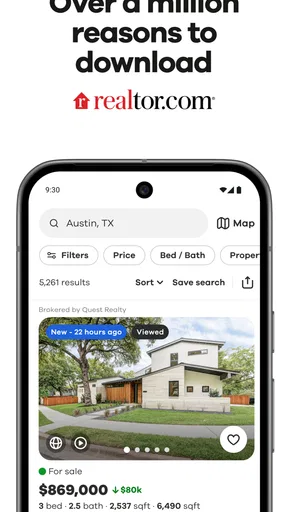
Our Review of Realtor.com Real Estate & Rent
 Analysis by Appyee
I use real-estate apps most when I need to turn a vague idea—“somewhere a little closer to work”—into a shortlist I can actually discuss with other people. Realtor.com Real Estate & Rent is strongest as a practical browsing and comparison tool: it brings buying and renting searches into one place and makes it easy to explore an area before deciding whether a listing deserves a visit. I would treat it as a starting point for research, not as a substitute for checking details directly with the person handling a property.
Easy Navigation and User-Friendly Interface
First things first, the interface is super intuitive. You don't need to be a tech wizard to find your way around. The layout is clean, with everything neatly organized in tabs. Whether you're looking for homes to buy or rent, or even just browsing neighborhoods, the app makes it a breeze. I found myself easily addicted to browsing listings during my coffee breaks.
That quick, casual browsing is more useful than it sounds. I can check what is available in an area while I have a few spare minutes, then return to a more serious search when I know what I want. The app is in the House & Home category, is free to use, and is developed by realtor.com®. It is rated for Everyone, so it can suit a household where several people are looking together, although the decisions and conversations around a home still need more care than a quick scroll allows.
It has a 4.7 average from around 539,000 ratings, and more than 10 million installs. Those figures suggest it is a well-used option, but I would not treat popularity as proof that every listing is right for me. My useful test is whether a result gives me enough reason to investigate further, then whether its details hold up when I follow them through.
Comprehensive Listings and Detailed Information
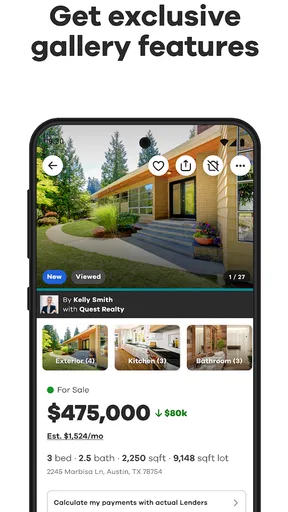
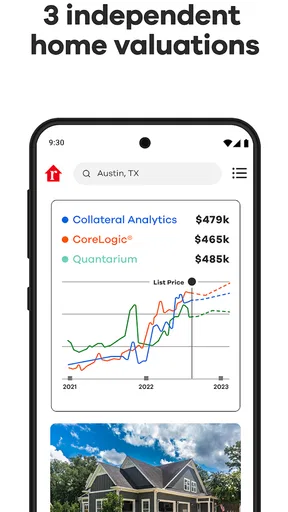
What really sets Realtor.com Real Estate & Rent apart is its comprehensive database. The app literally has millions of listings, and they’re updated in real-time. That means you’re always getting the freshest info, which is crucial in today’s fast-paced market. Each listing has all the nitty-gritty details you need, from price and size to school districts and nearby amenities. It’s like having a real estate agent in your pocket!
In practice, I find listing details most valuable when I use them to rule a place in or out, rather than treating the first screen as a complete picture. A price and a bedroom count can help me compare options, while location context can expose trade-offs that a set of attractive photos might hide. I would still confirm important points directly before making plans or decisions; property details can change, and an app is a discovery tool rather than a guarantee about a home’s current status.
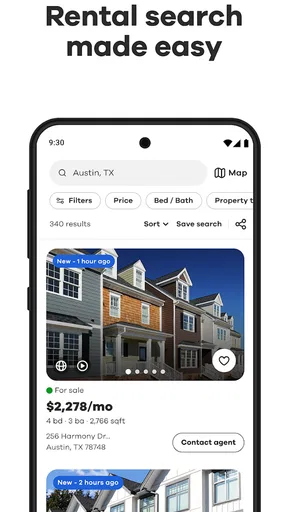
A useful habit is to compare several homes in the same part of town instead of judging one listing on its own. That makes it easier to notice when a property’s size, layout, or asking price differs from what you have been seeing nearby. For renters, the same approach can help separate a promising listing from one that only looks appealing in isolation. I also recommend writing down questions as you browse—such as what is included in the rent or what needs an in-person look—so a polished listing does not distract from practical concerns.
Advanced Search Filters
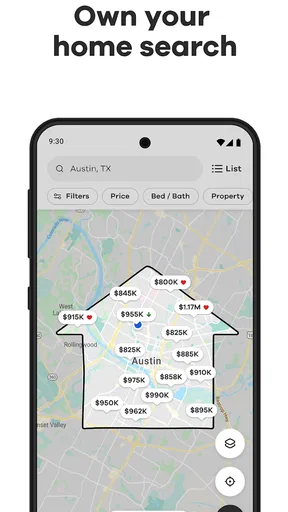
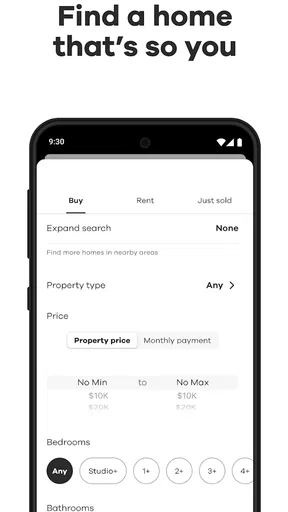
Now, let’s talk about those search filters. They’re a lifesaver! You can drill down into specifics like number of bedrooms, lot size, property type, and even pet-friendliness. The map view is also stellar—just zoom in on an area and watch the listings appear. It’s like digital magic!
The best way I have found to use filters is to begin with the things that would genuinely make a place unworkable, then loosen the rest. If I set too many preferences at once, I can narrow the results so aggressively that I miss a plausible home with one imperfect detail. Bedrooms, property type, and pet needs can be sensible starting points; softer preferences are better used to sort a shortlist than to exclude everything at the outset.
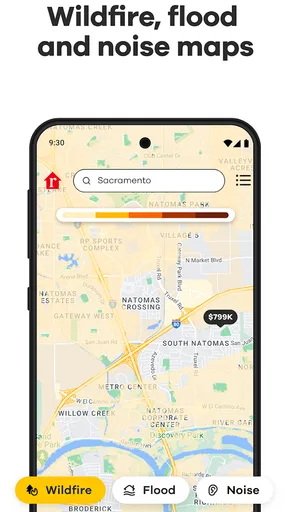
The map view is particularly helpful when an address matters more than a broad neighborhood label. I can look for listings around a commute destination or a familiar point, then compare nearby choices without relying only on area names. It is still a screening step: a pin on a map cannot tell me how a street feels at different times of day, how long a journey takes in real conditions, or whether the route suits my routine. I would use the map to choose where to investigate, not to make that judgment for me.
For a realistic everyday example, imagine I am renting with a dog and need to keep a commute manageable. I would set the essential rental criteria, include the pet requirement, and inspect the map for a workable cluster rather than choosing the first attractive result. Then I would save a small number of candidates for closer review and contact the relevant listing representative to clarify any details that matter. This workflow is more dependable than endlessly widening the search or assuming that a listing’s photos answer every question.
Virtual Tours and Open House Schedules
You want to talk about convenience? The app offers virtual tours and open house schedules, so you can scope out a place without ever leaving your couch. I spent a solid afternoon just touring homes virtually. It’s a great way to get a feel for a place if you’re not ready to commit to an in-person visit.
I see virtual viewing as a time-saving filter, especially when listings are in different areas or I am still deciding what kind of layout works for me. It can help me notice whether rooms connect in a way I like and whether a home merits a closer look. But a tour is not the same as standing in the property: camera angles and screen views can make proportions hard to judge, and a digital walk-through cannot answer every question about sound, upkeep, or the immediate surroundings.
For an open house, I would use the schedule to organize the day rather than assume that seeing a time in the app settles every practical detail. Before setting out, I would check that the showing is still happening and plan which places are worth visiting in person. That small extra step matters when time is limited. A virtual tour can help reduce unnecessary trips; a physical visit is still the better choice when I need to assess the feel and condition of a home for myself.
Notifications and Alerts
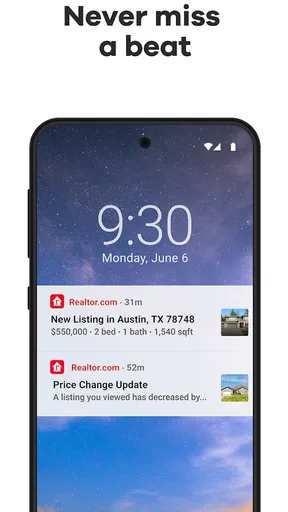
Don’t you hate missing out on a great deal? With the app's alert system, you can set notifications for new listings, price drops, and more. I set alerts for a few neighborhoods I was interested in, and the app kept me in the loop with timely updates. It’s like having a personal assistant keeping an eye on the market for you.
Alerts work best when the search behind them is specific enough to be useful but not so narrow that it becomes brittle. I would start with a couple of clearly different searches—for example, one for the area I prefer and another that allows a nearby alternative—then see whether the incoming results are relevant. If every notification is a poor fit, I would adjust the criteria instead of letting the phone turn the search into background noise.
A price change or new result is a reason to look again, not a reason to rush into a decision. I would open the listing, check whether the details still suit my needs, and make a note of any uncertainties before contacting anyone. Alerts can make it easier to keep up when a search is active, but they do not replace a deliberate comparison. When I am only casually exploring, I would keep notifications limited or leave them off until I am ready to respond to new options.
Where It Fits—and Where It Doesn’t
I would recommend this app most to people who are actively comparing homes for sale or rentals and want a convenient way to move between filters, listings, map browsing, and virtual viewing. It is also useful for an early-stage search: someone relocating, planning a move later, or simply trying to understand what different neighborhoods offer can explore without committing to a visit for every possibility. The ability to look at buying and renting in the same app is handy when the right next step is not yet clear.
It may be less suitable for someone who already has a specific property and mainly needs to handle paperwork, communicate with a landlord, or manage an existing home. That is not the job I would choose it for. Likewise, if I need an authoritative answer about availability, lease terms, property condition, or a neighborhood’s day-to-day feel, I would contact the relevant professional or visit in person rather than rely on a listing screen alone.
Compared with a general web search, a dedicated real-estate app gives me a more focused way to filter homes and inspect their locations. Compared with checking an individual brokerage or rental provider, it is more useful for surveying a wider set of possibilities, while a provider’s own channels may be the better place to confirm details about a particular property. I would use both approaches when a listing is important: discover and compare here, then verify directly before making plans.
There is also a simple trade-off between breadth and attention. A large pool of options is helpful when I am learning a market, but it can encourage endless browsing if I have not decided what matters. I get more value by choosing a few firm requirements, keeping a separate list of preferences, and reviewing only a manageable shortlist at a time. That turns the app from a stream of tempting photos into a tool for making a decision.
Final Thoughts
In a nutshell, Realtor.com Real Estate & Rent is an essential tool for anyone navigating the real estate market. It's packed with features that make finding your next home not just easier, but actually enjoyable. With its detailed listings, handy alerts, and user-friendly design, it’s a must-have for serious buyers, renters, and sellers alike.
So, if you're in the market or just love browsing real estate, give it a whirl. You might just find your dream home at your fingertips!
My more measured verdict is that it is a strong home-search companion, not a complete home-buying or renting service. The app’s mix of search, map exploration, virtual tours, and alerts can make the early stages clearer and help me spend time on better candidates. Its value depends on using those tools with a little discipline: check the details, verify important information, and see a property in person when the decision calls for it.
The app has been available since November 3, 2010, and its current version is 26.11.130, with Android support from version 8.0. For someone who wants a free, approachable way to explore homes for sale and rentals, I think it is worth trying. If I were looking for a single confirmed answer about a property or a service for managing a move after finding one, I would pair it with direct contact and other appropriate tools rather than expect the search app to do everything.
Privacy and Permissions
See what permissions an app requests and how it handles your data.
- Location
- approximate location (network-based), precise location (GPS and network-based)
- Camera
- take pictures and videos
- Microphone
- record audio
- Wi-Fi connection information
- view Wi-Fi connections
- Other
- view network connections, full network access, reorder running apps, control vibration, prevent device from sleeping
Verdict
Strengths of Realtor.com Real Estate & Rent
- User-friendly interface for easy navigation.
- Comprehensive property listings nationwide.
- Detailed neighborhood insights provided.
- Real-time alerts for new listings.
- Mortgage calculator for budget planning.
Limitations of Realtor.com Real Estate & Rent
- Limited rental options in smaller areas.
- Occasional app crashes reported.
- Some data may be outdated.
- In-app ads can be intrusive.
- Requires constant internet connection.
Similar Picks in This Category
View All
Universal TV Remote Control
CodeMatics Media Solutions3.9

AlfredCamera Home Security app
Alfred Systems Inc.4.7

Planner 5D: AI Home Design
Planner 5D4.5

Universal Tv Remote-Cast to TV
One Music Player4.1

Zillow: Homes for Sale & Rent
Zillow Group4.8

99acres Buy/Rent/Sell Property
infoedge.com4.3
Frequently Asked Questions
What features does the Realtor.com Real Estate & Rent app offer?
The Realtor.com Real Estate & Rent app provides a comprehensive suite of features for home buyers, renters, and real estate professionals. Users can search for homes, apartments, and rental properties with advanced filters, view high-resolution photos, and access detailed property information. The app also offers interactive maps, real-time alerts, and the ability to contact realtors directly from the app.
Is the Realtor.com app free to use, and are there any in-app purchases?
Yes, the Realtor.com Real Estate & Rent app is free to download and use. It allows you to browse listings and access most features without any cost. However, there may be optional in-app purchases or subscription services that offer enhanced features or professional tools for real estate agents and brokers.
How accurate are the listings and information on the Realtor.com app?
The Realtor.com app is known for providing highly accurate and up-to-date listings, sourced directly from multiple listing services (MLS) across the country. This ensures that users have access to the latest property information, pricing, and availability. Additionally, the app frequently updates its data, which helps maintain the accuracy of its listings.
Can I use the Realtor.com app to sell my home?
While the Realtor.com app is primarily designed for property searching, it also offers tools for sellers. Homeowners can list their properties with the help of a professional realtor connected through the app. It provides exposure to a wide audience of potential buyers, but the listing process itself typically requires collaboration with a real estate agent.
What platforms is the Realtor.com app available on, and does it require a lot of storage?
The Realtor.com Real Estate & Rent app is available for both Android and iOS devices. It is designed to be lightweight and doesn't require a significant amount of storage space. The app is optimized for smooth performance across various devices, ensuring a seamless user experience whether you are using a smartphone or tablet.
